Working with the camera
Working with the camera in USD scene
warning
While working with a scene, you "'must not change the camera's location or animation yourself"'. If you think that the camera position in your scene does not correspond to the camera position on the layout, write to your coordinator about it.
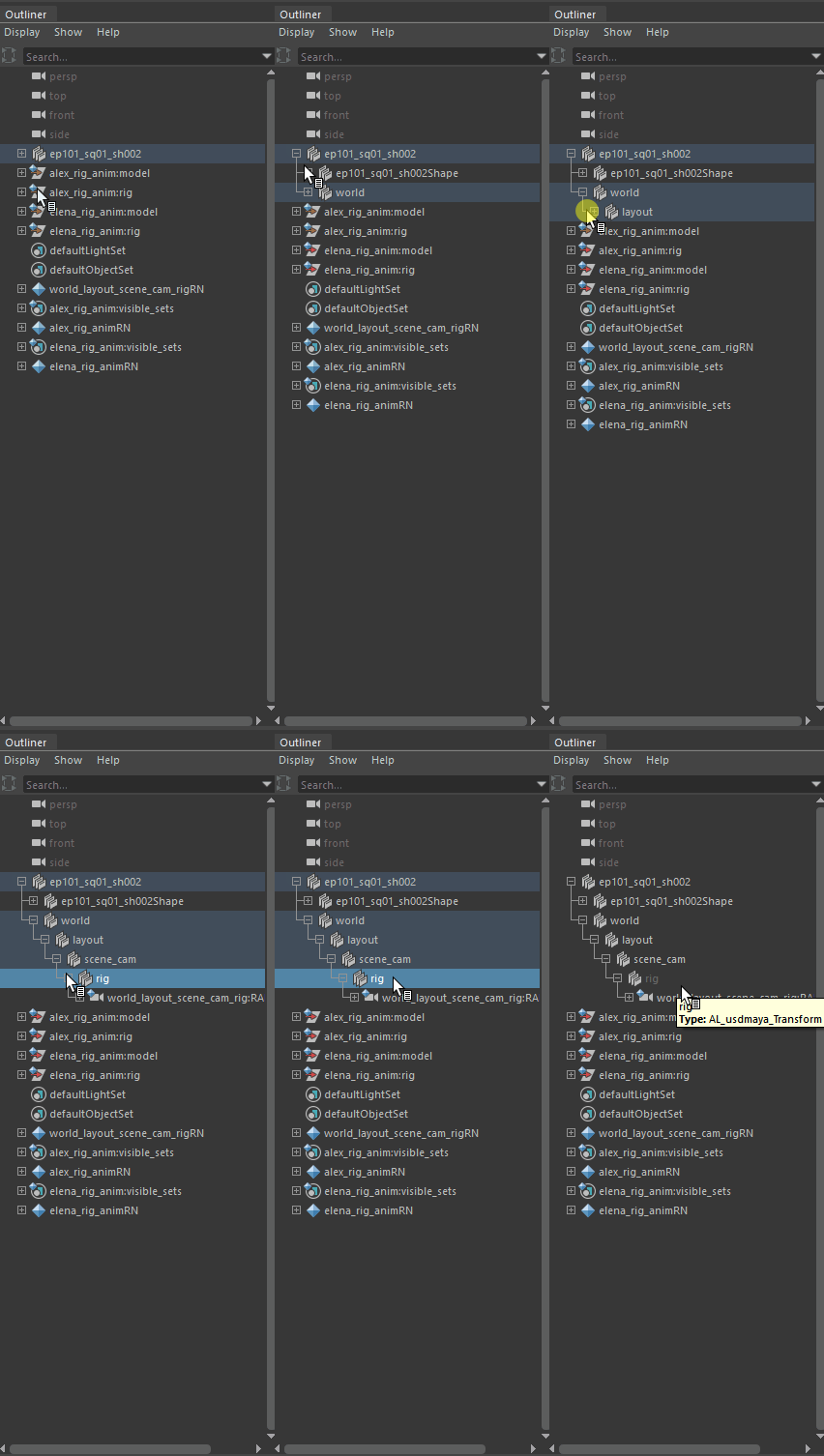
You can import a camera rig into a scene if you need to attach an object to the camera, freeze the camera movement, or hide the camera from the viewport.
- Select
AL USD Outlinerfrom theVoronezh Studiomenu.

- Select the camera and activate its rig. Now you can mute its movement, or constraints to it any object.

- If you need to hide the camera in a scene, you can find it through the Outliner in Maya and hide it there using the
Ctrl + Hkeys (useShift + Hto display the camera).