Dynamic Parent
Dynamic Parent - script that we use in our character rigs at Voronezh Studio. We used to make animating constraints easier, for example, when you need one object follow another at start of the scene and follow other object at the end of the scene.
Allow make parenting constraints very fast Allow seamlessly add more parents to existing constraint Allow seamlessly switching between parents Creates special animatable attribute on control, for easy keying and easy moving parenting keys. Free translate and rotate attributes of constrained control, so you can easily make animatable offsets.
Creating Dynamic Parent
-
Select in Maya
driver control(parent) -
Do Right Mouse Button click on
driven control(child) and in context menu selectDynamic Parents=>Add Selected. This action will create constraint. -
Do Right Mouse Button click on
driven control(child) and in context menu select Dynamic Parents=> Name of driver control. This action will do seamless switch.

Animating Dynamic Parent
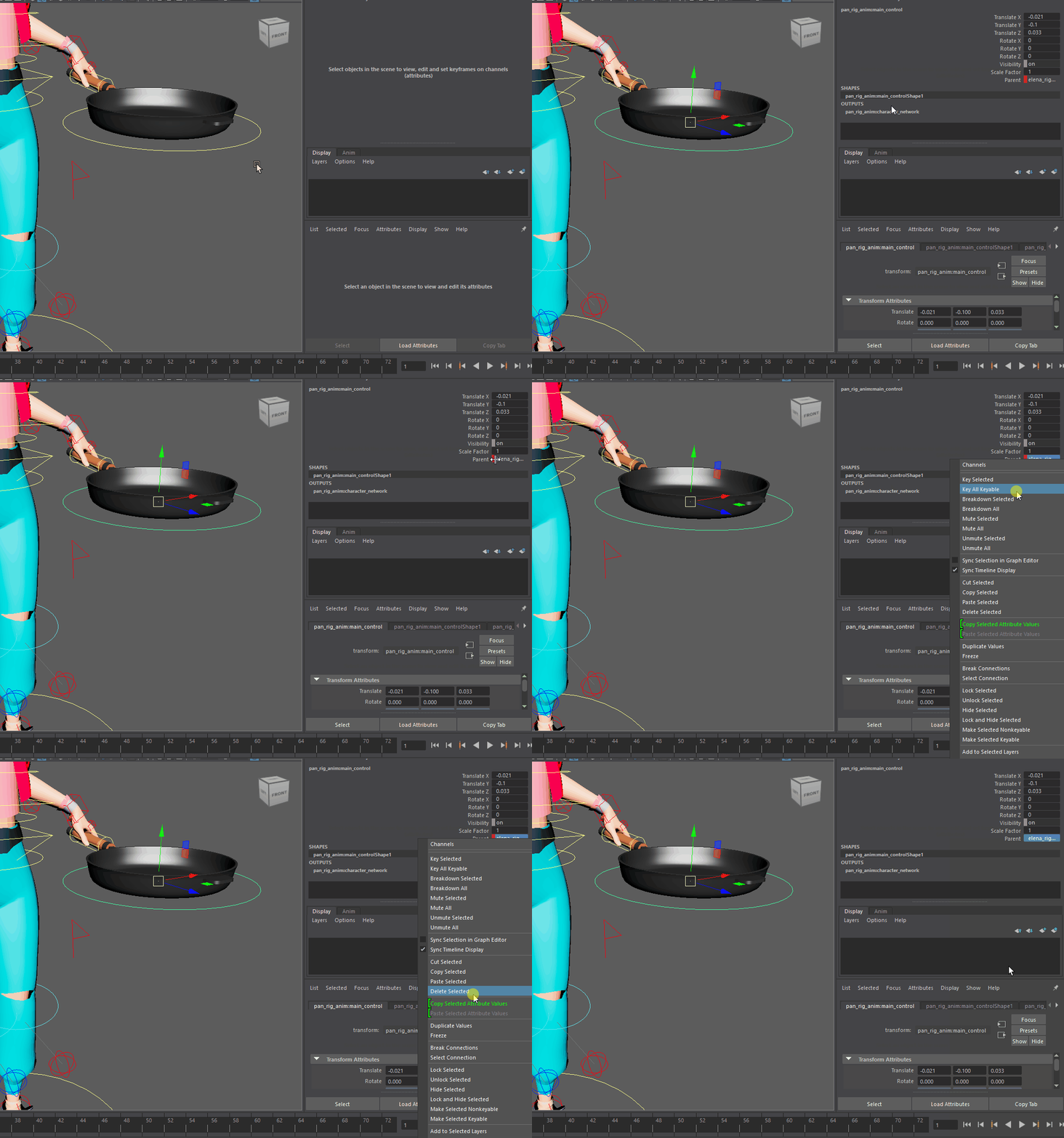
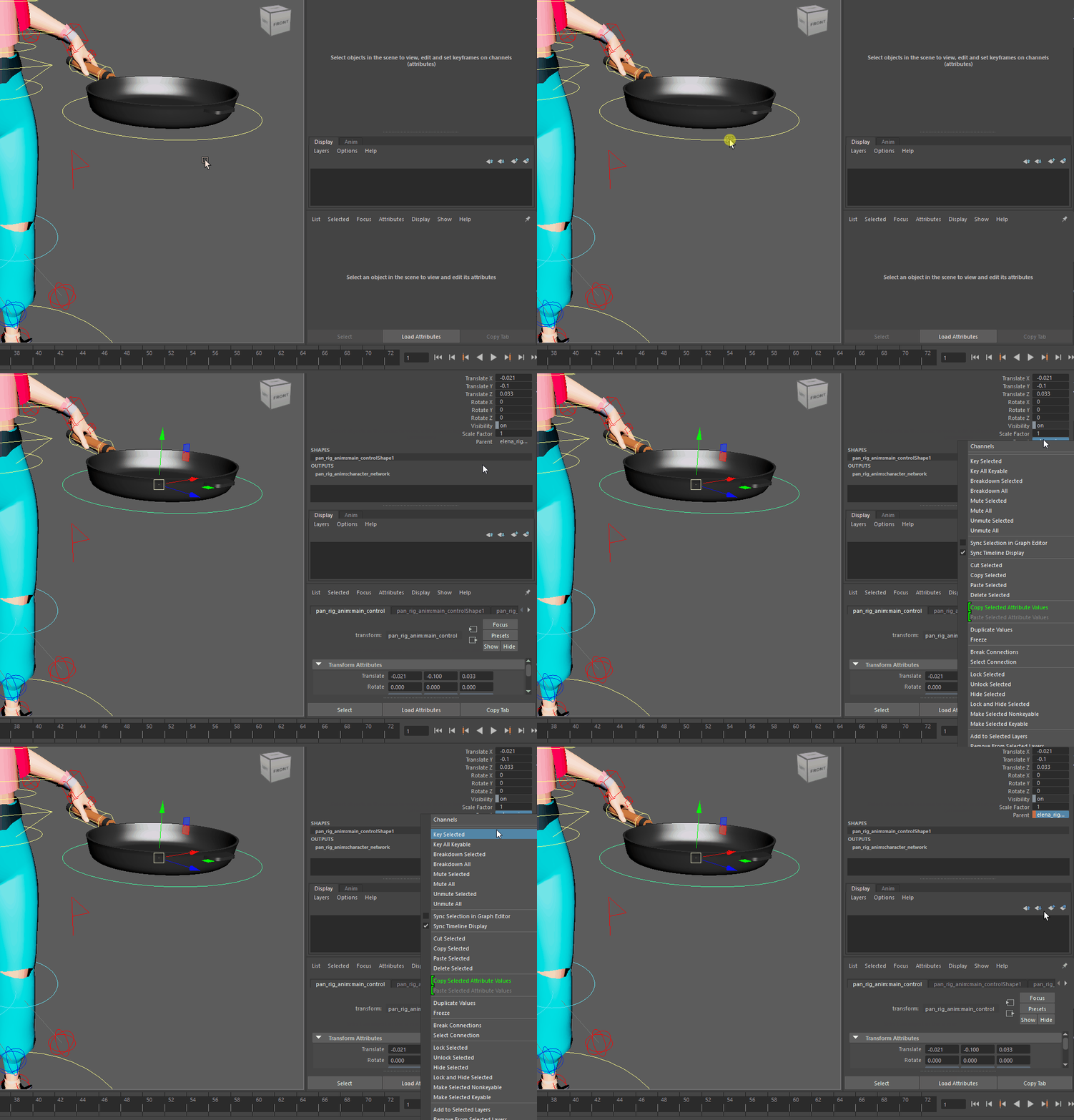
On animation controls we have special attribute parent, and you need to key it, to keep seamless switch at current frame. Notice that when you do seamless switch, values of translate, rotate channels are changing.
You need to key them too when you do switching parents, to make control keep its world position relative to new parent. If you use standard SetKey (hotkey S), that will key all channels of the control, including translate,rotate and parent.
Delete Dynamic Parent
In order to delete constrant to one of the parents, click with Right Mouse Button on driven control (child), and select Dynamic Parents=>Name of driven control, but you need to click on little square near the name.
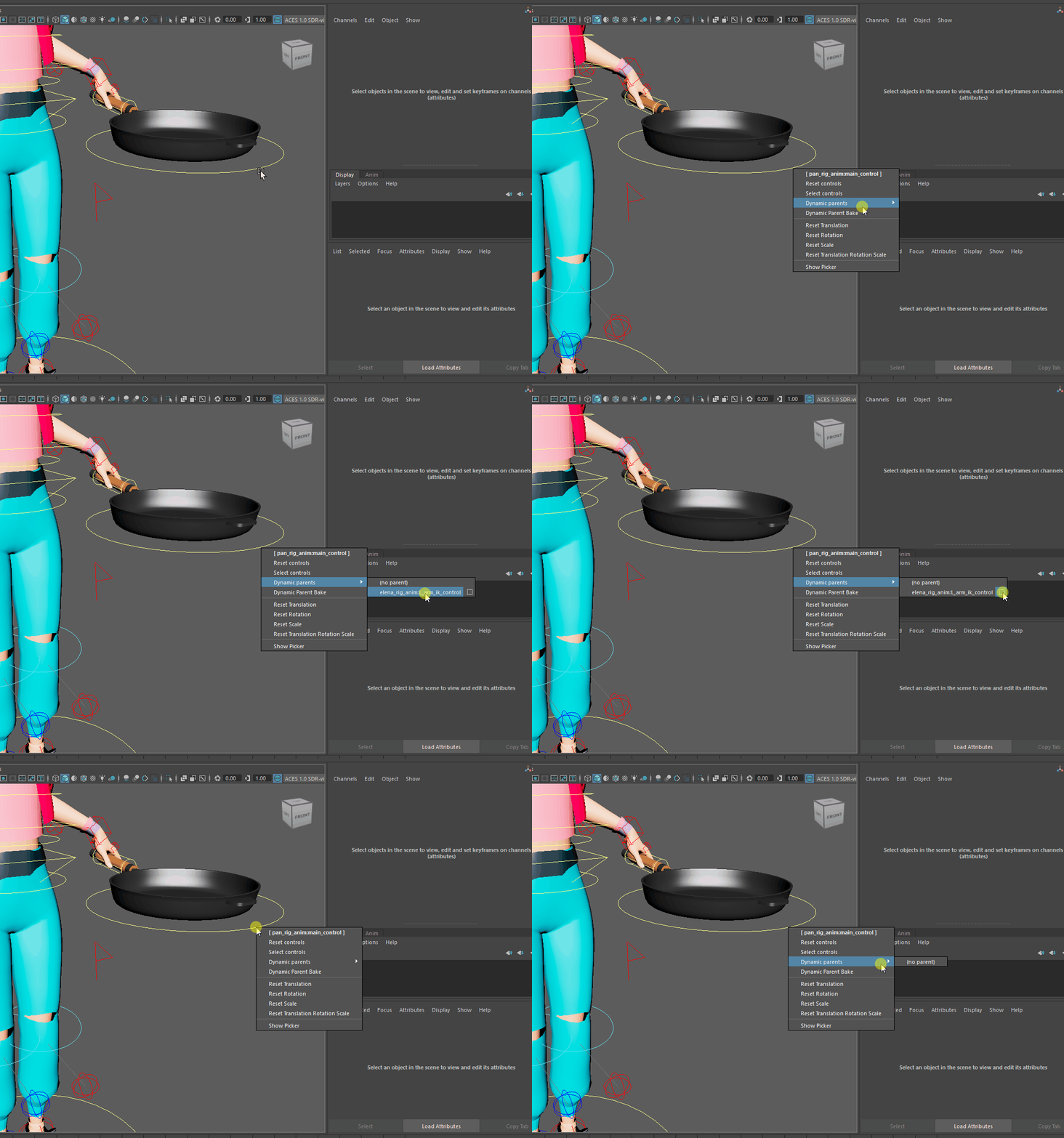
If you have animation on a parent attribute, the standard deletion method will not work.
You must first remove the animation from the parent attribute by using the Channel Box context menu.
We recommend using Delete Selected instead of Break Connections. The latter may leave unwanted data in the scene.